If you have tried making a comic book, brand mascot, or social media series with AI, you know the frustration. You generate "a woman with curly red hair" twice and get two completely different people. The nose changes. The eye shape shifts. The face you loved in image one vanishes in image two. This inconsistency breaks storytelling and makes professional projects impossible.
Until recently, this was just how AI worked. Each generation was independent. No memory. No continuity. But new techniques have changed that. This guide shows you exactly how to create and maintain consistent characters across multiple scenes using practical, field-tested methods.
Why Character Consistency Matters
Inconsistent characters destroy audience connection. When viewers cannot recognize your character from one panel to the next, they disengage. This affects real projects:
- Comics and graphic novels: Readers lose track of who is speaking or acting
- Brand mascots: Inconsistent appearance weakens brand recognition
- Social media series: Followers cannot follow storylines when characters change appearance
- Children's books: Young readers rely on visual consistency to understand narratives
Professional creators solve this with character model sheets. AI tools now offer digital equivalents.
How Identity Locking Actually Works
Traditional AI image generators treat every prompt as a fresh request. They have no concept of "this is the same person as last time." Identity locking changes this by using a reference image as an anchor.
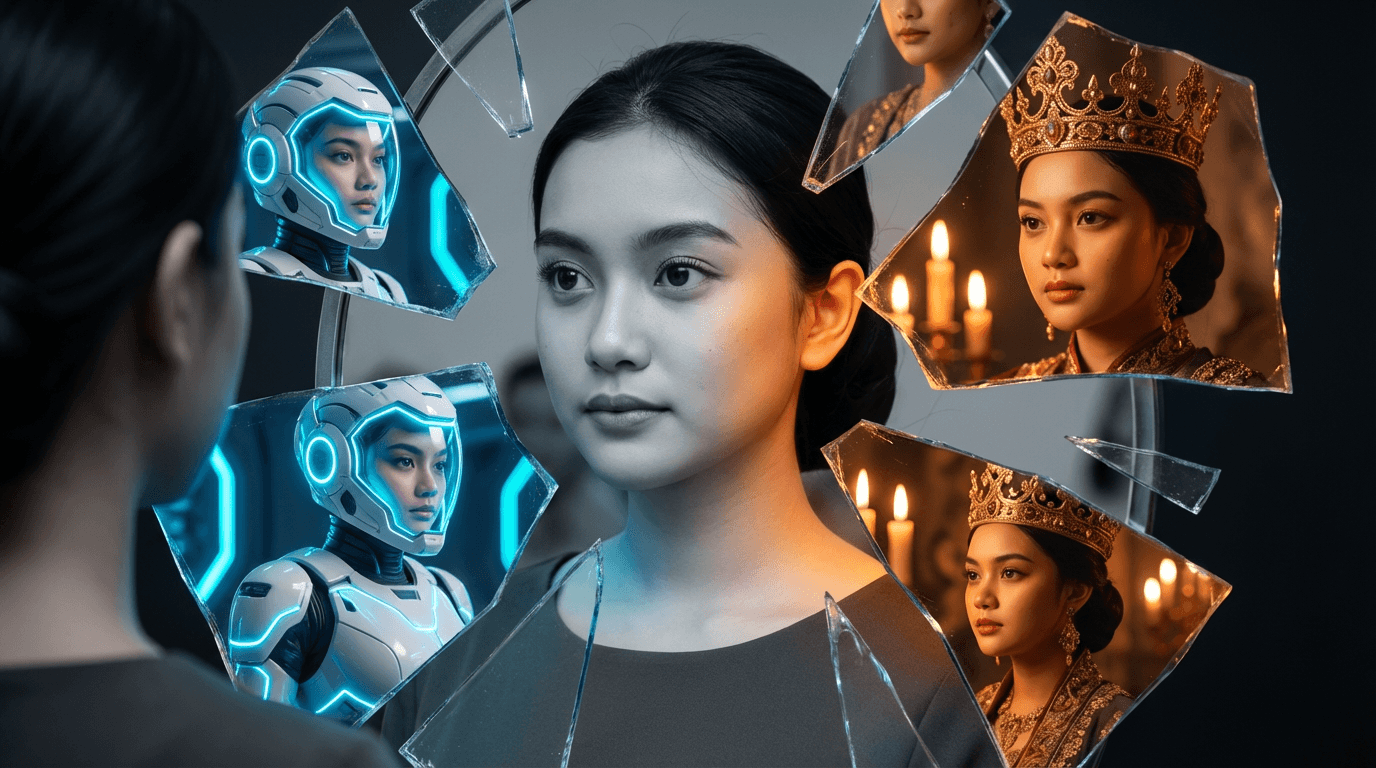
When you provide a clear portrait through Wanoza's Photo Character tool, the system analyzes facial geometry, proportions, and distinctive features. It then uses this analysis as a constraint during generation. The AI still creates new scenes, outfits, and expressions, but it maintains the underlying facial structure that makes your character recognizable.
This is not perfect cloning. It is intelligent constraint. The character can smile, turn their head, or wear different clothes while remaining identifiably the same person.
Step-by-Step: Creating Your First Consistent Character
Follow this workflow for reliable results on your first attempt:
- Capture or select a strong reference portrait
Use a clear, well-lit photo showing the face straight-on or at a slight angle. Avoid heavy shadows across facial features. The eyes, nose, and mouth should be visible and unobstructed. For best results, use images at least 512x512 pixels.
- Upload as Character Reference
In the Photo Character tool, upload your reference image to the designated "Character Reference" field. This tells the system which face to preserve across generations.
- Write your scene prompt
Describe the new situation without re-describing the face. The AI already knows the face from your reference.
Effective prompt: "A photo of the character drinking coffee in a sunlit cafe, wearing a blue sweater, looking thoughtfully out the window"
Avoid: "A woman with curly red hair drinking coffee..." (this fights the reference and creates inconsistency)
- Generate and review
Check that key facial features remain consistent: eye shape, nose structure, face shape, distinctive marks like freckles or scars. Minor variations in expression or lighting are normal and desirable.
- Iterate if needed
If the face drifts too far, try these adjustments:
- Use a higher quality reference image
- Simplify your scene prompt (fewer competing elements)
- Generate 3-5 variations and select the most consistent result
Pro Tips for Maximum Consistency
- Use multiple reference angles: If your project requires profile views or three-quarter shots, provide reference images from those angles when generating those specific scenes.
- Maintain consistent lighting in references: Dramatically different lighting between reference and target scene can confuse the AI. When possible, match lighting moods.
- Avoid extreme style shifts in early tests: Start with photorealistic to photorealistic generations. Once consistency is proven, experiment with turning your character into cartoons or paintings.
- Save your best reference images: Build a personal library of proven character references for future projects.
Real Projects That Need Consistent Characters
This technique solves actual creative problems:
- Comic book panels: Generate sequential scenes with the same hero across different actions and locations
- Brand mascots: Create a recognizable character for marketing campaigns across social platforms
- Children's book illustrations: Maintain character identity across 20+ pages of different scenes
- Product storytelling: Show the same customer using your product in multiple contexts
- Social media series: Build audience connection through recurring characters in daily content
Limitations to Understand
Be realistic about what identity locking can and cannot do:
- It preserves facial structure, not exact expressions: Your character will smile, frown, or look surprised naturally. This is desirable.
- Extreme angles remain challenging: Perfect consistency from straight-on to extreme profile is still difficult. Provide angle-specific references when needed.
- Style transfers work best gradually: Jumping from photorealistic to abstract art may break consistency. Try intermediate steps.
- Accessories may vary: Glasses, hats, or jewelry might not persist perfectly across generations. Re-specify important accessories in each prompt.
Before and After: What Changes
Without identity locking:
Generation 1: Woman with heart-shaped face, green eyes, freckles
Generation 2: Different woman with oval face, brown eyes, no freckles
Result: Unusable for sequential storytelling
With identity locking using the same reference:
Generation 1: Character drinking coffee in cafe (heart-shaped face, green eyes, freckles)
Generation 2: Same character hiking in mountains (same face structure, same eyes, same freckle pattern)
Result: Recognizable character across scenes, ready for comics or series
Getting Started Today
You do not need drawing skills or 3D modeling expertise. You need one good reference photo and a clear idea of your character's next scene. The technology handles the rest.
Start small. Generate your character in two different settings. Compare the results. When you see the same face looking back at you from both images, you will understand why this changes everything for AI storytelling.
Ready to build characters that audiences recognize and remember? Create your first consistent character now.