Content creation is a volume game. You need blog headers, Instagram posts, YouTube thumbnails, TikTok clips, Twitter banners, Pinterest pins, and LinkedIn carousels. Finding or creating all these visuals consistently is exhausting. Stock photo sites offer generic options that everyone else uses. Hiring designers is expensive and slow. AI visual tools solve this bottleneck by giving you a creative partner that never sleeps, never runs out of ideas, and works at the speed of your imagination.
Wanoza's suite of AI tools acts like having a graphic designer, photographer, and video editor on call 24 hours a day. This guide shows you exactly how to use these tools to keep your content calendar full without burning out.
1. Create a Consistent Brand Mascot or Avatar
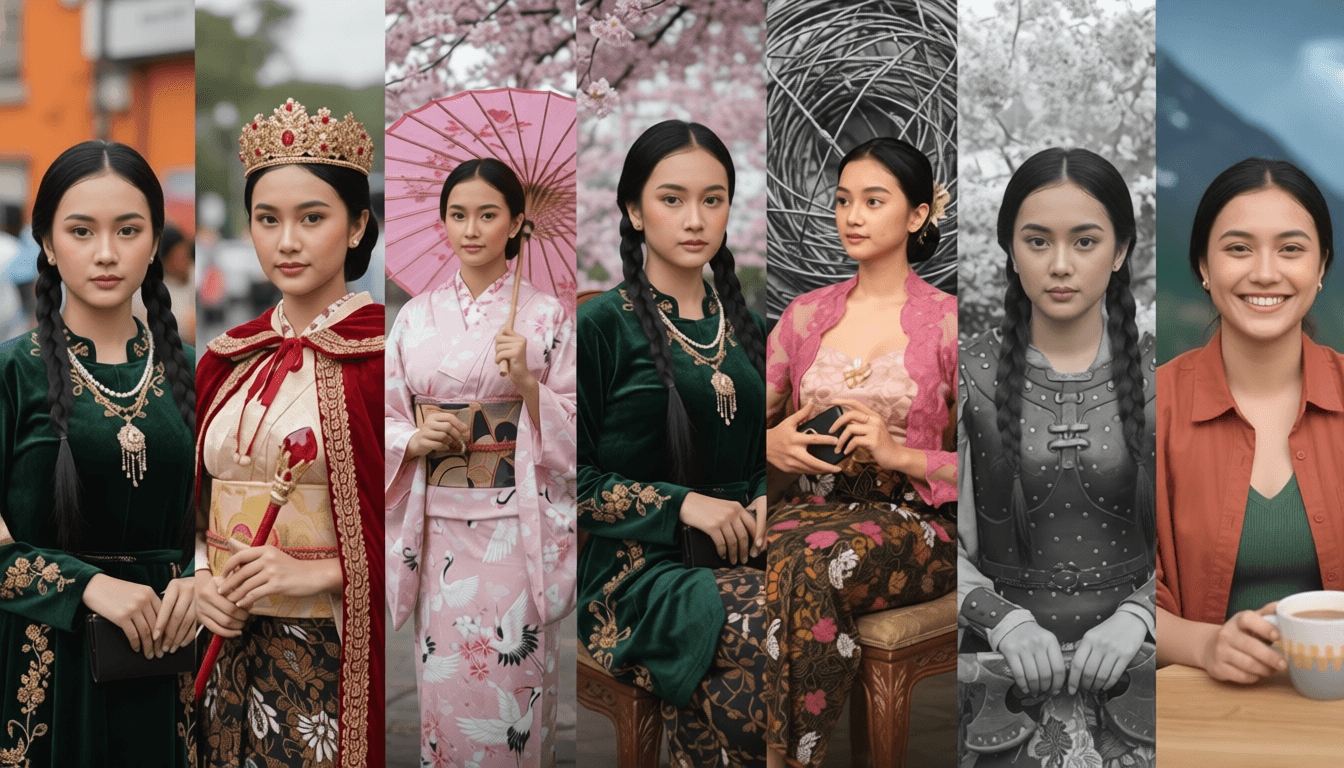
Personal branding works because people connect with faces, not faceless accounts. But you cannot always film yourself, and using your actual face may not fit your brand aesthetic. A consistent AI-generated character solves this.
Why it works: A recurring character builds recognition. Your audience starts to associate that visual identity with your content, creating a stronger brand connection than generic stock photos ever could.
How to create your brand avatar:
- Upload a clear reference photo to the Photo Character tool
- Generate your character in a neutral pose with good lighting
- Save the character reference for consistent use across all content
- Place your character in different scenarios: working at a laptop, celebrating a milestone, traveling, presenting
Use cases for your brand avatar:
- Blog post featured images: Your character illustrating the article topic
- Instagram carousels: Same character explaining concepts across slides
- YouTube thumbnails: Character reacting to or demonstrating the video topic
- Newsletter headers: Consistent visual identity across email campaigns
- Course materials: Character guiding students through lessons
2. Visualize Abstract Concepts Uniquely
Content creators constantly explain intangible ideas: productivity, motivation, blockchain, mindfulness, growth, innovation. Stock photos for these concepts are painfully cliché—a lightbulb for ideas, a mountain for challenges, a puzzle piece for solutions.
AI lets you create visuals that actually match your specific take on these concepts. Instead of the generic "person climbing mountain" for "overcoming challenges," you can create "a key unlocking a door made of clouds" for "finding clarity."
Effective prompts for abstract concepts:
- Productivity: "A tree growing from an open laptop, digital art style, vibrant colors"
- Mindfulness: "A person meditating inside a floating glass bubble, serene atmosphere, soft lighting"
- Growth: "A seedling sprouting from a stack of books, photorealistic, morning light"
- Innovation: "Gears made of light connecting in midair, cyberpunk aesthetic, neon accents"
- Community: "Hands of different colors forming a circle around a glowing heart, warm tones"
Pro tip: When visualizing abstract ideas, focus on metaphor rather than literal representation. Your audience will remember a unique visual metaphor long after they forget a generic stock photo.
3. Transform Static Images into Engaging Video
Let us be honest: people scroll past static images. Video stops thumbs. But filming video for every post is unsustainable. The solution: animate your best static images.
Why motion matters: Even subtle movement creates visual interest that static images cannot match. A gently drifting cloud, slowly rotating product, or subtle zoom effect can transform a forgettable image into an engaging video clip.
How to animate images for social media:
- Select your best static image (blog header, product shot, character illustration)
- Upload to the Text-to-Video or Image-to-Video tool
- Describe the motion you want:
- "Gentle zoom in on the character's face"
- "Clouds drifting slowly across the sky"
- "Subtle camera pan from left to right"
- "Dust particles floating in sunbeams"
- Set duration to 3-5 seconds for Instagram Reels/TikTok
- Generate and review for smooth, natural motion
"Movement catches the eye. Even subtle motion—a gentle zoom, drifting clouds, floating particles—makes static content feel alive and stops scrolling thumbs."
Platform-specific video tips:
- TikTok/Reels: 3-5 seconds, vertical format (9:16), loopable motion
- YouTube Shorts: 5-10 seconds, vertical format, strong opening frame
- Instagram Stories: 3-7 seconds, full-screen vertical, text overlays work well
- YouTube thumbnails: Create 1-second animated previews to test which visual performs best
4. Rapid Content Ideation and Brainstorming
Every creator faces creative block. You sit at a blank document with no ideas. AI visual tools can jumpstart your creativity by giving you visual inspiration to react to and build upon.
Brainstorming workflow:
- Start with a broad topic: "productivity tips"
- Generate 5-10 visual interpretations using simple prompts
- Review the images and ask: Which one sparks an idea? What story does this tell?
- Use the most inspiring image as a springboard for your content angle
Example brainstorming session:
Topic: "Time management"
Prompt variations:
- "Hourglass with digital numbers flowing through it"
- "Calendar pages transforming into butterflies"
- "Person juggling clocks of different sizes"
- "Tree growing from a clock face"
Result: The "calendar pages to butterflies" image inspires a blog post about "releasing time-wasting habits to achieve freedom."
This visual-first brainstorming often unlocks angles you would not have discovered through text alone.
5. Create Platform-Specific Visual Variations
Repurposing content across platforms requires adapting visuals for each format. AI makes this fast and consistent.
Workflow for multi-platform content:
- Create your core visual (blog header, main illustration)
- Generate platform-specific variations:
- Instagram post: Square crop, bold text overlay
- Instagram Story: Vertical crop, simplified composition
- Twitter/X: Horizontal crop, minimal text
- Pinterest: Tall vertical (2:3 ratio), keyword-rich text
- LinkedIn: Professional aesthetic, muted colors
- Use consistent color palette and style across all variations
6. Build a Visual Content Library
Consistency builds recognition. Create a library of visual assets you can reuse and remix:
- Brand color palette: Save prompts that generate your specific colors
- Typography styles: Use Ideogram for consistent text treatments
- Character poses: Save your avatar in different positions for various contexts
- Background templates: Create reusable scene templates for quick content creation
- Style references: Save prompts that create your preferred aesthetic
When you have a library of proven visual elements, creating new content becomes assembly rather than creation from scratch.
7. Practical Content Calendar Workflow
Here is how to integrate AI visuals into your weekly content creation:
Monday: Batch create visuals
Generate all images needed for the week in one session. Create 5-10 blog headers, 10-15 social media images, 3-5 YouTube thumbnails.
Tuesday-Thursday: Create content
Write blog posts, record videos, draft social captions using your pre-made visuals.
Friday: Plan and iterate
Review performance data. Which visuals got the most engagement? Create variations of your best-performing styles for next week.
This batch workflow prevents daily creative decision fatigue and ensures you always have visuals ready when you need them.
Getting Started Today
You do not need to overhaul your entire content strategy. Start small:
- Pick one piece of content you are working on this week
- Create one visual using AI instead of searching stock photos
- Notice the time saved and the uniqueness of the result
- Gradually expand to more content types as you build confidence
The goal is not to replace your creativity. It is to remove the friction that keeps good ideas from becoming great content. When visual creation stops being a bottleneck, you can focus on what you do best: creating valuable content that resonates with your audience.
Ready to fill your content calendar with unique, brand-aligned visuals? Start creating AI visuals today.