If you are tired of clicking "generate" and hoping for the best, it is time to learn the controls that give you real creative authority. These seven advanced techniques transform AI image generation from a guessing game into a precise design tool. Each method is field-tested and works across major platforms including Wanoza's image generation suite.
1. Negative Prompts: Tell the AI What to Avoid
Negative prompts are arguably the most powerful control technique available. Instead of just describing what you want, you explicitly list what you do not want. This prevents common AI failures before they happen.
How it works: The AI treats negative prompts as constraints to avoid during generation. This is more effective than hoping the AI will not include unwanted elements.
Essential negative prompts to use consistently:
- Quality issues: "blurry, pixelated, low quality, jpeg artifacts"
- Anatomy problems: "bad anatomy, distorted hands, extra limbs, malformed face"
- Unwanted elements: "text, watermark, signature, border, frame"
- Style conflicts: "cartoon, 3D render, sketch" (when you want photorealism)
Pro tip: Build a personal negative prompt library. Save combinations that work for your common projects. For portraits, you might always include "bad anatomy, distorted face, extra fingers." For product shots, add "blurry, poor lighting, watermark."
2. Prompt Weighting: Control Word Importance
Not all words in your prompt carry equal weight. Prompt weighting lets you boost or reduce the importance of specific elements. This solves the frustrating problem where the AI ignores your key subject.
Basic syntax (works on most platforms):
- Increase weight:
(blue mushrooms:1.5)- Makes "blue mushrooms" 50 percent more important - Decrease weight:
(background:0.7)- Makes "background" 30 percent less important - Strong emphasis:
((main subject))- Double parentheses often doubles importance
When to use weighting:
- Your subject keeps getting ignored in busy scenes
- Colors are not coming through strongly enough
- Background elements are overpowering your main focus
- You want to de-emphasize a style element that is too dominant
Example: Without weighting: "A forest with blue mushrooms and a cottage" might give you a generic forest scene. With weighting: "A forest with (blue mushrooms:1.8) and a cottage" ensures the mushrooms become a prominent feature.
3. Style Blending: Combine Incompatible Aesthetics
Style blending forces the AI to merge two distinct visual languages. This creates unique, unexpected results that stand out from generic AI art.
Effective blending formula:
[Subject] in the style of [Style A] blended with [Style B] elements
Proven style combinations:
- "Cyberpunk cityscape blended with Art Nouveau flowing lines"
- "Portrait in Van Gogh impasto style with vaporwave color palette"
- "Medieval castle rendered as low poly 3D model with cinematic lighting"
- "Japanese tea ceremony in Wes Anderson symmetrical composition"
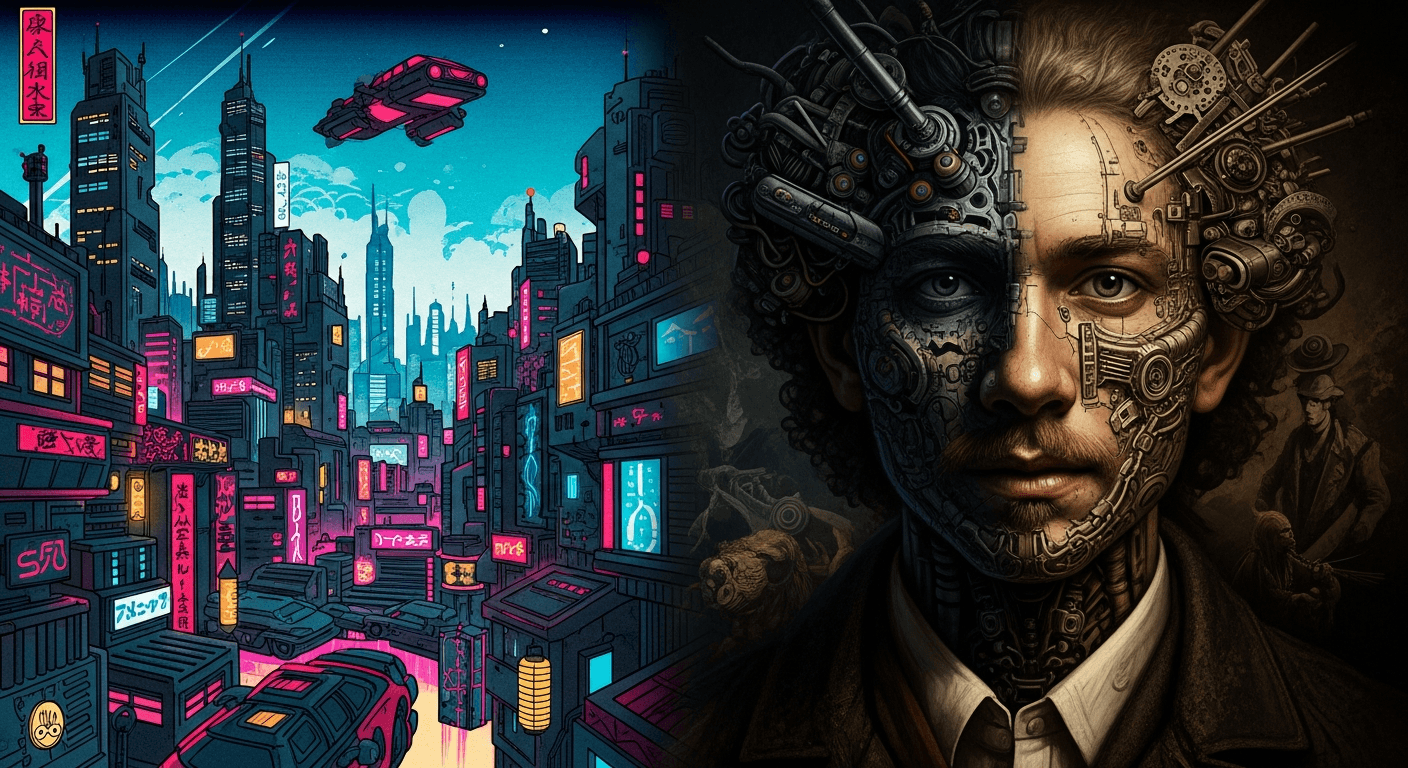
Why this works: The AI has learned both styles independently. When forced to combine them, it creates novel interpretations that neither style would produce alone.
4. Seed Control: Achieve Perfect Consistency
A seed is a number that determines the random noise pattern an image starts from. Using the same seed with the same prompt produces identical results. This gives you unprecedented control for testing and iteration.
Practical seed workflows:
Workflow 1: Testing prompt changes
Keep seed constant, change one word, see exactly how that word affects output. This teaches you how the AI interprets specific terms.
Workflow 2: Character consistency
Generate your character once, note the seed, then use that seed for all subsequent scenes to maintain facial structure and proportions.
Workflow 3: Style refinement
Find a seed that produces good composition, then iterate on lighting, colors, or details while keeping the underlying structure identical.
Pro tip: Seeds are not universal. A seed that works on one model (Imagen4) will not produce the same result on another (Flux Pro). Keep seed notes organized by model and project.
5. Image-to-Image: Guide with Visual References
Instead of describing everything in text, start with a visual reference. Upload a sketch, photograph, or rough composition, then use text prompts to refine and transform it.
When to use image-to-image:
- You have a specific composition in mind that is hard to describe
- You want to maintain exact positioning of elements
- You are iterating on an existing design or illustration
- You need precise control over perspective and scale
Effective workflow:
- Start with a simple sketch or reference photo
- Upload to image-to-image tool
- Write prompt describing desired transformation
- Adjust strength/denoising parameter:
- Low (0.2-0.4): Subtle changes, preserves original structure
- Medium (0.5-0.7): Significant transformation, keeps composition
- High (0.8-1.0): Complete reinterpretation, only inspiration remains
6. Photographic Terminology: Speak the AI's Visual Language
Camera and photography terms are exceptionally well-represented in AI training data. Using them gives you precise control over composition, lighting, and mood.
Lens and perspective control:
- Wide angle (16-24mm): "16mm lens" creates expansive, dramatic perspectives
- Standard (35-50mm): "50mm lens" gives natural, human-eye perspective
- Telephoto (85mm+): "85mm portrait lens" compresses background, isolates subject
- Macro: "Macro lens" for extreme close-ups with shallow depth of field
Aperture and depth of field:
- Shallow depth: "f/1.8" creates strong background blur (bokeh)
- Moderate depth: "f/5.6" keeps subject sharp with soft background
- Deep depth: "f/16" keeps everything from foreground to background in focus
Lighting setups:
- "Rembrandt lighting" - dramatic triangle of light on cheek
- "Butterfly lighting" - shadow under nose shaped like butterfly
- "Rim light" - outline of light separating subject from background
- "Golden hour" - warm, soft directional light
7. Quality Enhancement: Strategic Prompt Engineering
Certain descriptive terms consistently improve output quality by triggering the AI's high-fidelity training data. These are not "cheat codes" but strategic vocabulary choices.
Effective quality triggers:
- Technical terms: "sharp focus," "high detail," "intricate textures," "professional grade"
- Artistic references: "concept art," "matte painting," "award-winning photography"
- Lighting quality: "cinematic lighting," "dramatic shadows," "volumetric lighting"
- Material accuracy: "photorealistic textures," "accurate material rendering"
💡 Note: Terms like "8K" or "4K" do not actually improve image quality in consumer AI tools. These models generate at fixed resolutions. Focus on descriptive quality terms instead.
Placement matters: Put quality triggers at the end of your prompt where they serve as final refinement instructions. Example: "A serene mountain lake at sunrise, pine trees reflected in water, (sharp focus:1.3), cinematic lighting, professional landscape photography"
Putting It All Together: Advanced Workflow
Professional AI artists combine multiple techniques in a single workflow:
- Start with image-to-image using a rough sketch
- Write detailed prompt with weighted key elements
- Add comprehensive negative prompts
- Include photographic terminology for precise control
- Generate 3-5 variations
- Select best result, note the seed
- Iterate using same seed with refined prompts
- Use style blending for final creative touches
These techniques require practice, but they give you creative control that separates casual users from professional AI artists. The AI is just a tool. Your skill in directing it determines the quality of your results.
Ready to move from hoping to designing? Start mastering advanced AI techniques today.